 StoryLooker
Did Someone Block You on Snapchat or Just Remove You? (2026)
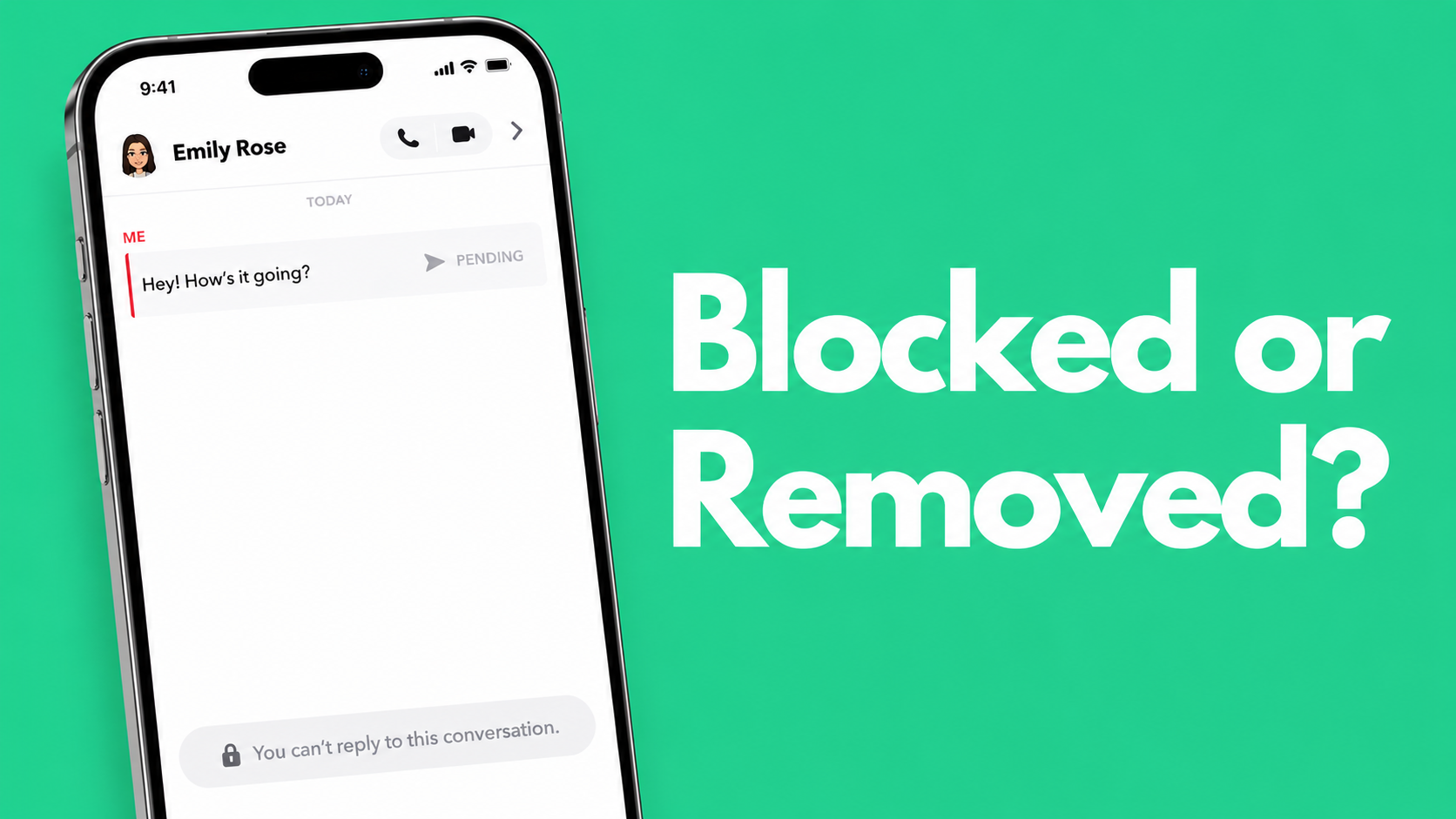
Someone who used to be on your Snapchat friend list has gone quiet. Their name is still sitting in your chat, but a new message just shows a grey arrow that never moves. You search for their username and get nothing back, or maybe something does show up but it looks different from before.
Snapchat does not tell you when you get blocked or removed. There is no notification, no warning, nothing. This is by design. Snapchat confirms that blocking is silent. So figuring out what actually happened comes down to running a few manual checks. This guide walks you through four of them, in order, so you get a straight answer.
The Quick Answer (TL;DR)
- Blocked: their profile vanishes from search completely. Messages stay stuck on grey and never deliver.
- Deleted as a friend: their profile still shows up in search (on public accounts), but their Snap Score is hidden and the friend status is gone.
- The most accurate test: ask a mutual friend to search the same username. If they find the profile with no issues, you were blocked.
What's Inside This Guide:
What Happens When You Get Blocked on Snapchat
A block on Snapchat cuts off both sides of the connection. From your perspective, the person effectively stops existing on the platform. Here is what you will actually see:
Their username returns no results in search Block sign
Type their exact username into the Snapchat search bar. If the account does not show up at all, that points to a block. Keep in mind that a fully deleted account also disappears from search, so this test alone will not give you a final answer. You need Test 4 below to separate the two.
Messages stay on grey and never move Block sign
Open your existing chat with this person and send a new message. If the arrow icon turns grey and stays grey without ever going blue or red, the message did not go through. This happens when you are blocked, but it also happens when someone removes you as a friend. The arrow color alone is not enough to confirm a block.
Their stories and Spotlight disappear Block sign
If this person posted public stories regularly and you can no longer find any of them, even through a direct username search, a block is the most likely reason. A simple friend removal would still leave their public content visible to you. If you want to check whether their stories are still up without using your own account, you can look them up on StoryLooker. Public profiles load without any login.
What Happens When Someone Removes You as a Friend
Being removed is a much softer action than being blocked. The person's account is still there and still searchable. You just lose the mutual friend status between the two of you.
Their profile comes up in search but the Snap Score is gone Removed sign
When two Snapchat users are friends, both can see each other's Snap Score right below the display name. If you search their username, find the profile, but there is no Snap Score showing, they removed you. That number only shows to mutual friends. Its absence is one of the clearest signals Snapchat gives you without spelling it out directly.
Private stories stop showing up Removed sign
If they had a private story you could see before and it has now disappeared, that access was removed along with the friend connection. Their public stories, if they have a public account, will still be visible to you since those are open to everyone.
The 4 Tests to Get a Definite Answer
Run these in order. Each one narrows it down further until you have your answer.
Test 1: Search their exact username on Snapchat
Use the search bar and type their username exactly as you remember it, not their display name. Usernames on Snapchat are unique, so there is no confusion. Three things can happen:
- Profile shows up normally with a Snap Score: you are still friends, nothing changed
- Profile shows up but Snap Score is missing: they removed you as a friend
- Nothing shows up at all: you were blocked, or they deleted their account entirely
Test 2: Check for the Snap Score on their profile
If you found their profile in Test 1, tap on it and look for the Snap Score number. Friends see it, non-friends do not. If it is there, your friendship is still active. If it is gone, you were removed. This single detail is the fastest way to confirm a friend removal without needing anyone else's help.
Test 3: Send a message from your existing chat
If you had a conversation with this person before, open it and send a new message. Watch what happens to the delivery arrow. A grey arrow that does not change after several minutes means the message is not being delivered. Combined with what you found in Test 1, this helps confirm a block versus a removal. On its own, a grey arrow only tells you something is wrong, not what.
Test 4: Ask a mutual friend to search the same username
This is the only test that gives you a final answer when the account has completely disappeared from your search. Ask someone you both know to look up the exact username on their own device, without logging into your account.
- Mutual friend finds the profile normally: the account exists and is reachable. You were blocked.
- Mutual friend finds nothing either: the account was deleted or deactivated. You were not specifically targeted.
Private Accounts Change the Results of Tests 1 and 2
If the person has a private Snapchat account, their profile will not appear in search for people outside their friend list regardless of blocks. In that situation, Tests 1 and 2 will not give you anything useful. Test 4, the mutual friend check, is the only option that works. A mutual friend who was already added by this person should be able to find and view their profile if the account is still active.
What Happens to Your Old Messages
Your chat history stays intact on your side no matter what happened. Messages do not get deleted when someone blocks you or removes you. Snapchat does not notify the other person that you read old messages either. For more on what Snapchat does and does not alert people about, see our guide on when Snapchat sends screenshot notifications. You can scroll back through everything that was sent before and read it normally.
The only thing that changes is what happens to new messages. They will not go through. If the account was deleted entirely, Snapchat may eventually show the username as an inactive or ghost account in your chat list, with no profile picture and no active status.
Blocked vs Removed vs Deleted Account: Full Comparison
| What You See | Blocked | Removed as Friend | Account Deleted |
|---|---|---|---|
| Profile appears in search | No | Yes (public accounts) | No |
| Snap Score visible | No | No | No |
| Mutual friend can find them | Yes | Yes | No |
| New messages deliver | No (grey arrow) | No (grey arrow) | No (grey arrow) |
| Old chat history visible | Yes | Yes | Yes |
| Their public stories visible | No | Yes (public accounts) | No |
Frequently Asked Questions
Does Snapchat notify you when someone blocks you?
No. Snapchat sends no notification of any kind when you get blocked. The only way to find out is to run the tests above and check manually.
Can a blocked person still see my Snapchat stories?
No. A block works in both directions. When someone blocks you, your profile and stories become invisible to them, and everything on their side becomes invisible to you.
What happens to old messages if someone blocks you on Snapchat?
Your existing chat history stays visible on your side and does not get wiped. Any new message you try to send will sit on a grey pending arrow and will never be delivered.
If someone deleted their Snapchat account, do they disappear from search?
Yes. A deleted account disappears from search the same way a block does. The difference is that a mutual friend will also get no results when searching a deleted account. If a mutual friend can find the profile without any issues, the account is active and you were blocked specifically.
Check If a Snapchat Profile Still Exists Without Logging In
If you want to verify whether someone's public profile is still active without using your own Snapchat account, look up their username on StoryLooker. No login needed, no trace left on their end.
Look Up a Snapchat Profile