 StoryLooker
Does Snapchat Notify When You Save a Chat? (2026 Guide)
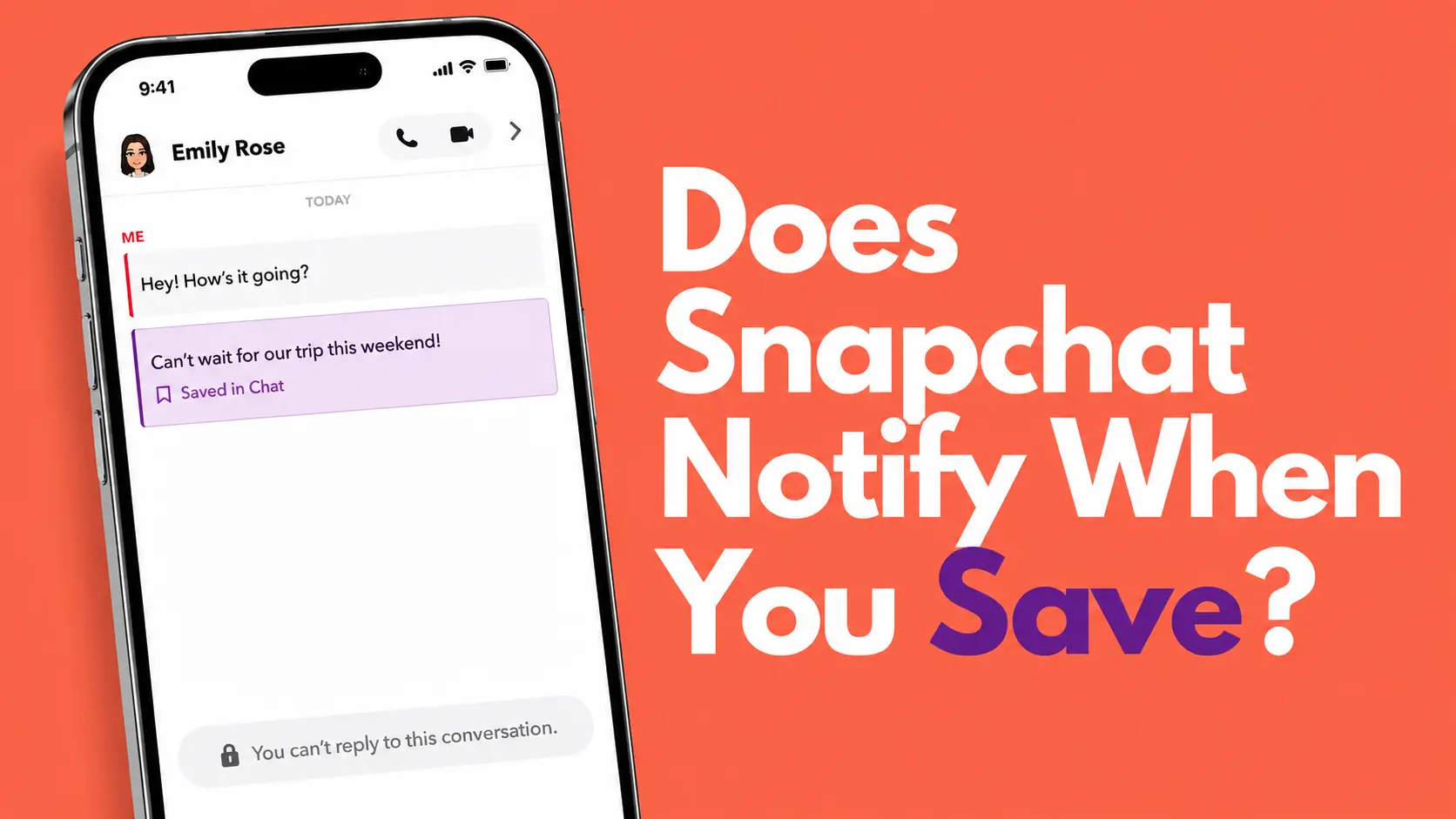
You are in a Snapchat conversation and something comes up that you want to hold onto. Maybe it is an address, a phone number, or just a message you do not want to lose when the chat wipes itself. So you long-press on it and save it. Then it hits you: did that just send them a notification?
Snapchat handles saved chats differently from screenshots or screen recordings. Some actions send a push notification directly to the other person's phone. Others do not send a notification but are still completely visible inside the chat. This guide breaks down every scenario so you know exactly what happens on their end.
The Quick Answer (TL;DR)
- Long-press to save a message: No push notification sent, but the saved message is visible to both people inside the chat as a purple label.
- Screenshot a chat: Snapchat sends an immediate alert inside the chat window and potentially a push notification.
- Screen record a chat: Same result as a screenshot. Notification is sent.
- There is no method inside the Snapchat app that lets you save or capture a private chat completely out of sight of the other person.
What's Inside This Guide:
What "Saving" a Snapchat Chat Actually Means
By default, Snapchat deletes chat messages once both people have read them or after a set period. To stop a specific message from disappearing, you long-press on it inside the chat and tap Save in Chat. The message then stays in the conversation permanently until one of you manually unsaves it.
This is not the same as taking a screenshot. When you save a message through the built-in feature, no copy is stored in your phone's camera roll. The message just stays put inside the app. If you want an actual file on your device, that requires a screenshot or screen recording, and those two methods work very differently when it comes to what the other person is told.
What the Other Person Sees in Each Case
1. Long-Press to Save a Message Visible in Chat
When you save a message using the long-press method, the message immediately turns purple and a small "Saved" label appears underneath it. This change shows up for everyone in the chat, not just you. The other person does not receive a push notification to their phone's lock screen, but the moment they open the conversation, they will see clearly that something was saved and which message it was.
This applies to text messages, voice notes, and media like photos or videos sent inside a chat. The saved status is shared between all participants. There is no way to save a message this way without the other person eventually noticing.
2. Taking a Screenshot of a Chat Notifies
This is where Snapchat gets strict. If you press your phone's screenshot buttons inside a Snapchat chat window, the app detects it instantly. A bold message appears inside the chat for both of you to see, stating that a screenshot was taken. Depending on the other person's notification settings, they may also get a lock screen push notification at the same moment.
There is no reliable workaround for this in 2026. Methods that worked in older versions of the app, like the airplane mode trick, are no longer effective because Snapchat's detection system flags them once your device reconnects to the internet. We cover this in full in our guide on Snapchat screenshot notifications.
3. Screen Recording a Chat Notifies
Screen recording a Snapchat chat sends the same type of alert as a screenshot. The other person sees a notification inside the chat window. Snapchat's detection covers both native iOS screen recording (Control Center) and native Android screen recording. Third-party recording apps are also flagged in most cases. For the full breakdown on this, see our guide on Snapchat screen recording notifications.
Does Unsaving a Message Notify the Other Person?
No direct push notification is sent when you unsave a message. However, the change is not invisible either. Once you long-press and tap unsave, the purple highlight disappears and the message goes back to its normal state. If Snapchat's standard deletion timer applies, the message will then disappear the next time both parties have seen it.
Anyone who already noticed the message was saved will be able to see that its status changed. The act of unsaving does not erase the fact that you saved it in the first place.
Screenshot vs Save: Side by Side
| Action | Push Notification? | Visible Inside Chat? | Saves to Camera Roll? |
|---|---|---|---|
| Long-Press Save | No | Yes (purple label) | No |
| Screenshot | Yes | Yes (bold alert in chat) | Yes |
| Screen Recording | Yes | Yes (bold alert in chat) | Yes (video file) |
| Unsave a Message | No | Yes (label disappears) | No |
How to View Public Snapchat Content Without Alerts
Private Snapchat chats are built to stay between the people in the conversation. There is no method inside the app that lets you save or copy messages completely without the other person knowing in some way.
Where the situation is different is with public content. If you want to watch someone's public stories, check their profile, or see their Spotlight videos, all of that can be done through StoryLooker without any notification being sent to the account owner. Since you are loading public data through our servers rather than through the Snapchat app, the app's tracking and alert systems are never involved.
- Watch any public story with our Snapchat Story Viewer without opening the app.
- View and download any profile picture in full HD with our Snapchat DP Viewer.
- Download public story videos directly to your device with our Snapchat Story Downloader. No screenshots needed.
Frequently Asked Questions
Does Snapchat notify when you save a chat message?
Snapchat does not send a push notification, but saving a message is visible to both people in the chat. The message turns purple and shows a "Saved" label underneath it, so the other person will see it the next time they open the conversation.
Can you screenshot a Snapchat chat without them knowing?
No. Taking a screenshot inside a Snapchat chat triggers an immediate alert. A bold message appears inside the chat window for both parties, and the other person may also receive a lock screen notification on their phone.
Does unsaving a chat message notify the other person?
No direct push notification is sent when you unsave a message. However, the change is visible inside the chat. The purple "Saved" label disappears, and anyone who noticed it before will be able to see the status changed.
What is the difference between saving a chat and screenshotting it on Snapchat?
Saving a chat (long-press) keeps the message inside Snapchat and marks it visibly for both people with a purple label. No file is saved to your phone. Screenshotting creates an image in your camera roll but immediately sends a notification to the other person.
Does saving a voice note in Snapchat notify the sender?
Yes, the same rule applies. If you long-press and save a voice note inside a chat, the saved status becomes visible to both people in the conversation, even though no push notification is sent to the sender's lock screen.
View Public Snapchat Content Without Any Notifications
Stories, profiles, and Spotlights on public Snapchat accounts are all viewable through StoryLooker for free. No app needed, no account required, and no alerts sent to the account owner.
Try StoryLooker Free